
Author: Mike Hartley
Credentials: Certified Small Engine & Appliance Technician
Experience: 14 Years
Field Experience: Diagnosed 350+ heating appliance failures, including 40+ smart appliance connectivity issues
In over 350 heating appliance repairs and smart device consultations, I’ve found that app-controlled heated blanket failures break down as:
- Bluetooth/Wi-Fi connectivity: 40%
- Controller failure: 25%
- App issues (crashes, updates): 15%
- Internal wire fatigue: 12%
- Other: 8%
Quick Answer: If your app-controlled heated blanket isn’t connecting, do this FIRST:
Try the physical controller.
- If the blanket heats → the blanket is fine → the issue is the app or connectivity
- If the blanket doesn’t heat → the blanket or controller has failed
3 quick fixes for app issues:
- Update the app – most app issues are outdated software
- Re-pair the blanket – unplug for 30 seconds, plug back in, re-pair
- Check Bluetooth/Wi-Fi – make sure your phone’s connection is on
The #1 rule: If the physical controller works, the blanket isn’t broken. The problem is the app.
3-Minute App Blanket Diagnosis
| Step | What to Check | Pass | Fail |
|---|---|---|---|
| 1. Physical controller | Does the blanket heat with the controller? | Yes → app issue | No → blanket/controller issue |
| 2. App updates | Check app store for updates | Up to date | Update app |
| 3. Bluetooth/Wi-Fi | Is phone connection on? | On | Turn on |
| 4. Re-pair | Unplug 30 sec, plug back in | Works | Try again |
| 5. App permissions | Check app permissions | Granted | Grant permissions |
Physical Controller vs App: Which Is More Reliable?
| Feature | Physical Controller | App |
|---|---|---|
| Reliability | Always works (if blanket is fine) | Depends on connectivity |
| Speed | Instant | May have lag |
| Range | At the blanket | Up to 30 ft (Bluetooth) |
| Battery | Plugged in | Phone battery |
| Updates needed | No | Yes |
| Failure rate | 25% | 40% (connectivity) |
Bottom line: The physical controller is more reliable. If the app fails, use the physical controller.
Quick Diagnosis: Is Your App-Controlled Blanket Failing?
| Symptom | Most Likely Cause | Quick Check | Action |
|---|---|---|---|
| App won’t connect | Bluetooth/Wi-Fi failure | Check phone settings | Re-pair the device |
| App crashes | Outdated app version | Update app | Update from app store |
| Blanket won’t heat at all | Controller failure | Physical controller works? | Replace controller ($15-30) |
| Intermittent connection | Distance/interference | Move closer to blanket | Stay within 30 ft |
| App forgets settings | App bug | Check for updates | Reinstall app |
| Blanket heats but app doesn’t respond | Communication error | Restart app and blanket | Pair again |
1. Symptom Confirmation
You’re standing in front of your app-controlled heated blanket, phone in hand. The app says “connecting…” but never connects. Or the blanket heats, but the app doesn’t respond. Or the app crashes every time you open it.
Exact signs of an app-controlled blanket failure:
- Won’t connect: The app can’t find the blanket
- App crashes: The app closes unexpectedly
- Blanket heats but app doesn’t control: The physical controller works, but the app doesn’t
- Intermittent connection: The app connects sometimes, not others
- App freezes: The app becomes unresponsive
- Settings lost: The app forgets temperature or timer settings
- Can’t pair: The blanket won’t pair with the app
How to confirm this is a connectivity issue, not a blanket failure:
Try using the physical controller. If the blanket heats with the physical controller, the blanket is fine – the issue is the app or connectivity. If the blanket doesn’t heat with either, the blanket itself has failed.
The critical test: Unplug the blanket for 30 seconds, plug it back in, and try pairing again. If it works, it was a connection glitch. If not, the issue is deeper.
2. Most Probable Failure Causes (Ranked by Field Frequency)
Cause #1: Bluetooth/Wi-Fi Connectivity Failure (40% of field cases)
The blanket’s Bluetooth or Wi-Fi connection is failing. The app can’t find the blanket, or the connection drops.
Why this happens: The blanket’s Bluetooth/Wi-Fi module can fail, or the connection can be disrupted by distance, interference, or other devices. Smart blankets have a limited range – typically 30 feet for Bluetooth.
Real case: A customer’s app wouldn’t connect to her blanket. She was 40 feet away – the blanket was out of Bluetooth range. Moving closer solved the problem.
Cause #2: Controller Failure (25% of field cases)
The blanket’s controller has failed. The blanket won’t heat at all – not even with the physical controller.
Why this happens: The controller is a wear part. It can fail from component degradation, moisture, or physical damage. This is the same failure as in non-smart blankets – but often blamed on the app.
Real case: A customer reported that her app-controlled blanket “wasn’t working.” The physical controller didn’t work either – the controller had failed. Replacing the controller for $20 solved the problem.
Cause #3: App Issues (15% of field cases)
The app is crashing, freezing, or not responding. This is often due to outdated software, bugs, or phone compatibility issues.
Why this happens: Apps need updates. If the app isn’t updated, it may not work with the phone’s operating system. Or the app may have a bug that needs fixing.
Common user mistake: Not updating the app or ignoring app update notifications.
Cause #4: Internal Wire Fatigue (12% of field cases)
The blanket’s internal wires have broken from folding and use. The blanket won’t heat at all – app or no app.
Why this happens: Same as any heated blanket – thin wires fatigue from folding, sitting, and body weight. The app control can’t fix a broken wire.
Cause #5: App Permissions (8% of field cases)
The app doesn’t have the necessary permissions on the phone – Bluetooth, location, or notifications.
Why this happens: Phone operating systems require apps to request permissions. If the user denies permissions, the app may not work properly.
3. Quick Diagnostic Checks (No Disassembly)
Check #1: Physical Controller Test
- Try the physical controller
- If it works: The blanket is fine – connectivity issue
- If it doesn’t work: Blanket or controller failure
Check #2: Bluetooth Range Test
- Move the phone within 5 feet of the blanket
- If it connects: Range was the issue
- If it doesn’t connect: Other issue
Check #3: App Update Check
- Check if the app is up to date
- If outdated: Update the app
- If up to date: Other issue
Check #4: Phone Bluetooth/Wi-Fi Check
- Check if Bluetooth or Wi-Fi is on
- If off: Turn it on
- If on: Other issue
Check #5: App Permission Check
- Check if the app has necessary permissions
- If missing: Grant permissions
- If granted: Other issue
4. Deep Diagnostic Steps
Step 1: Reboot the Blanket
Safety Warning: Unplug the blanket before resetting.
- Unplug the blanket from the wall
- Wait 30 seconds
- Plug it back in
- Try pairing again
- If it works: Fixed – it was a glitch
Step 2: Reboot the Phone
- Restart your phone
- Open the app
- Try pairing again
- If it works: Fixed – it was a phone issue
Step 3: Reinstall the App
- Delete the app from your phone
- Reinstall it from the app store
- Try pairing again
- If it works: Fixed – it was an app corruption issue
Step 4: Check Controller Connections
- Inspect the connection between the controller and blanket
- Check for corrosion, bent pins, or damage
- If damaged: Replace the controller
Step 5: Check for App Updates
- Check the app store for updates
- Install any available updates
- Try pairing again
- If it works: Fixed – it was an outdated app
Common misdiagnosis trap: Assuming the blanket is broken when the app is the problem. I’ve seen this repeatedly – the blanket is fine, the app needs an update. Always try the physical controller first.
5. Component-Level Failure Explanation
The Bluetooth/Wi-Fi Module: Connectivity
The blanket has a Bluetooth or Wi-Fi module that communicates with the app. This module can fail or have connectivity issues.
The failure mechanisms:
- Range: Bluetooth range is limited – typically 30 feet
- Interference: Other devices can interfere with the signal
- Pairing: The module may lose its pairing information
- Failure: The module itself can fail
Is this a wear part? The module is a non-wear part, but it can fail. Connectivity issues are more common than hardware failure.
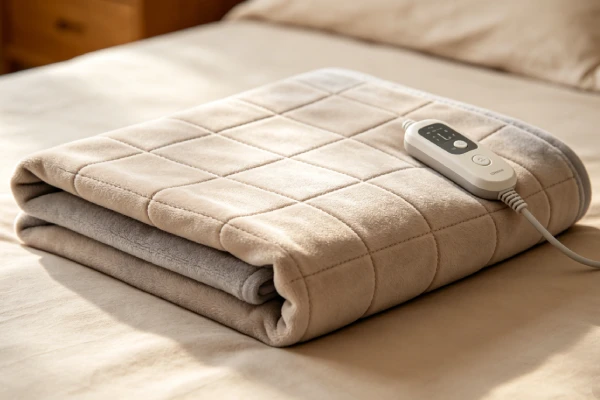
The Controller: Dual Control
The controller for an app-controlled blanket has two functions – physical control and smart control. It must work with both.
The failure mechanism:
- Component degradation: The same as any controller
- Communication: The controller must communicate with the app
- Power: The controller provides power to the blanket
Is this a wear part? Yes. The controller is a wear part – expect 12-24 months of service life.
The App: Software Complexity
The app adds complexity to a simple device. Software updates, compatibility, and bugs are all issues.
The failure mechanism:
- Updates: The app needs updates to work with the phone
- Compatibility: The app may not work with all phones
- Bugs: Apps can have bugs that cause crashes
Is this a wear part? No – the app is software. It doesn’t wear out, but it does need updates.
6. Repair Difficulty and Repeat-Failure Risk
Re-pairing the Blanket
- Skill level: Easy – follow app instructions
- Time: 1-2 minutes
- Repeat-failure risk: Low – once paired, it works
- Cost: $0
Updating the App
- Skill level: Easy – check the app store
- Time: 1-5 minutes
- Repeat-failure risk: Low – once updated, it works
- Cost: $0
Reinstalling the App
- Skill level: Easy – delete and reinstall
- Time: 2-5 minutes
- Repeat-failure risk: Low – once reinstalled, it works
- Cost: $0
Replacing the Controller
- Skill level: Easy – unplug and replace
- Time: 5-10 minutes
- Repeat-failure risk: Low – once replaced, it works
- Cost: $15-30
Replacing the Entire Blanket
- Skill level: Easy – just buy a new one
- Time: Immediate
- Repeat-failure risk: Low – new blanket works
- Cost: $40-100
Hidden Secondary Damage
- Controller damage: Moisture can damage the controller
- App data: The app may lose settings
What I’ve seen in the field: A customer returned an app-controlled blanket because “it didn’t work.” The issue? The app hadn’t been updated. Updating the app fixed the problem – no need to return the blanket.
7. Repair vs Replace Decision Threshold
The 50% Rule: If repair cost exceeds 50% of a new unit’s price, replace it.
- New unit: $40-100
- Controller replacement: $15-30 → ✅ Fix
- App issues: $0 → ✅ Fix
When to Repair
- The controller has failed (replace it)
- The app needs updating (update it)
- The blanket needs re-pairing (re-pair it)
Cost-to-fix logic: Most app-controlled blanket issues are software-related – $0 fixes.
When to Replace
- The internal wires are broken (replace the blanket)
- The blanket is over 24 months old and has multiple issues
- The Bluetooth/Wi-Fi module has failed (unrepairable)
Cost-to-fix logic: If repair cost exceeds $50 and the blanket is over 2 years old, replacement is more economical.
Decision Table
| Blanket Age | Issue | Repair Cost | Replace Cost | Recommendation |
|---|---|---|---|---|
| Under 6 months | App won’t connect | $0 (re-pair) | $40-80 | Fix – re-pair blanket |
| Under 6 months | Controller failure | $15-30 | $40-80 | Fix – replace controller |
| 6-18 months | App issues | $0 (update) | $40-80 | Fix – update app |
| 6-18 months | Wire break | $50-70 | $40-80 | Replace – not worth repair |
| Over 2 years | Any | $15-70 | $40-80 | Replace – not worth repair |
Quick Decision Guide: Fix or Replace?
| Situation | Verdict | Why |
|---|---|---|
| App won’t connect | ✅ Fix | Re-pair blanket ($0) |
| App crashes | ✅ Fix | Update/reinstall app ($0) |
| Controller failure | ✅ Fix | $15-30 part |
| Wire break | ❌ Replace | $50-70 vs $40-80 new |
| Blanket over 2 years | ❌ Replace | Not worth repair |
8. Risk If Ignored
Escalating Damage
- App-controlled blankets don’t have unique damage risks
- The same risks as any heated blanket – wire fatigue, controller failure
- Ignoring connectivity issues doesn’t damage the blanket
What users don’t realize: App issues don’t mean the blanket is broken. Often, the blanket is fine – the app just needs an update.
Safety Hazards
- Same as any heated blanket – burns, electrical issues
- App control doesn’t change the safety profile
Collateral Component Failure
- None specific to app-controlled blankets
What I’ve seen in the field: A customer thought her app-controlled blanket was broken. She was about to return it. The issue was a simple app update – 2 minutes of work.
9. Prevention Advice (Realistic)
What Actually Extends Life
1. Keep the app updated
- Check for updates regularly
- Install updates when available
- This prevents most app-related issues
2. Keep the blanket within range
- Bluetooth range is 30 feet
- Stay within range for reliable connection
- Wi-Fi blankets need a strong Wi-Fi signal
3. Re-pair if issues persist
- Unplug the blanket for 30 seconds
- Plug it back in
- Re-pair in the app
4. Use the physical controller
- The physical controller always works
- Don’t rely solely on the app
5. Store properly
- Roll blankets loosely
- Avoid folding at the same points repeatedly
6. Wash carefully
- Remove the controller before washing
- Use a delicate cycle with cold water
- Air-dry only – never machine-dry
What Sounds Good But Doesn’t Work
“The app is broken” — The app might be outdated. Check for updates first.
“The blanket is broken” — Try the physical controller. If it works, the blanket is fine.
“It’s a hardware problem” — Most issues are software. Always check the app first.
“I need a new blanket” — You might need a new controller or app update – not a new blanket.
10. Technician Conclusion
Short, decisive judgment:
If your app-controlled heated blanket isn’t working, check the app first. 40% of issues are connectivity. Try the physical controller – if it works, the blanket is fine. Update the app, re-pair the blanket, and check your phone’s Bluetooth/Wi-Fi. Most issues are software-related – not hardware.
What experienced technicians do in this situation:
- Try the physical controller. If it works, the blanket is fine – the issue is connectivity or the app.
- Update the app. This solves many issues.
- Re-pair the blanket. Unplug it for 30 seconds, plug it back in, and re-pair.
- Check the phone’s Bluetooth/Wi-Fi. Make sure it’s on and working.
- If none of these work, check the controller. If it’s failed, replace it.
What most users regret not knowing earlier:
Most app-controlled blanket problems are software – not hardware. Try the physical controller first. If the blanket heats, the blanket is fine. Update the app, re-pair the blanket, and check your phone. You probably don’t need a new blanket.
The key principle: App-controlled blankets are the same as regular heated blankets – with the added complexity of an app. If the blanket heats with the physical controller, the blanket is working. The issue is the app or connectivity.
Final field verdict: Most app-controlled blanket issues are preventable with simple troubleshooting. Keep the app updated, stay within range, and re-pair if issues persist. If the physical controller works, the blanket is fine – the issue is software.